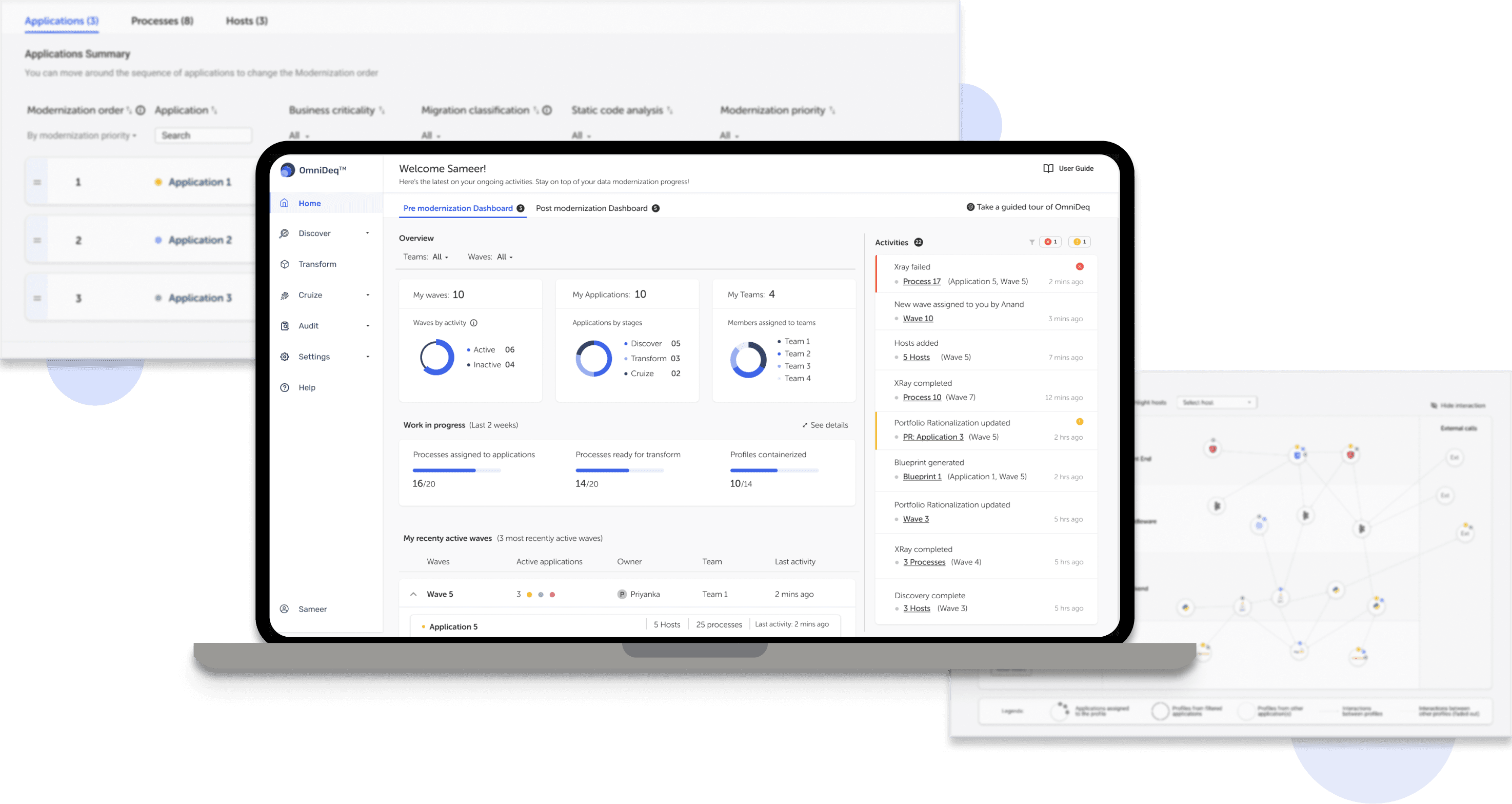

OmniDeq
Application Modernization Platform
Helping enterprises modernize their legacy systems by simplifying decision-making and streamlining the process.
AI/ML
Operations
B2B
Details are modified due to NDA.
What is OmniDeq?
OmniDeq helps businesses upgrade legacy systems into modern solutions, be it On-Premise, Cloud, Edge or IoT solutions; boosting efficiency and scalability for updating their IT infrastructure.
My role & responsibilities
UX + UI Designer
UX Analysis, Heuristic review
Define and prioritize goals
Journey Maps
Navigation & Information Architecture
Prototypes
Design System
Iterative design
Implementation support
Team
Product Designer
Founder
CTO
Solution Architect
5 Software engineers
Platform:
SaaS and Enterprise, Web
B2B
SaaS and Enterprise, Web
B2B
Client:
CloudHedge Pvt. Ltd.
Need for a redesign
Usability issues in the existing platform were identified by customer-facing teams through user feedback. With OmniDeq accelerating application modernization for multiple Fortune 500 companies and US Federal agencies, the need for a redesign was evident for the client.
This led to a redesign aimed at enhancing:
Navigation issues
Visual inconsistency
Confusion
Ambiguity about next steps
Lack of intuitiveness
The global application modernization services market size of USD 15.2 billion in 2022 is projected to grow to USD 32.8 billion by 2027.
Source: Markets and Markets,
Old interface analysis
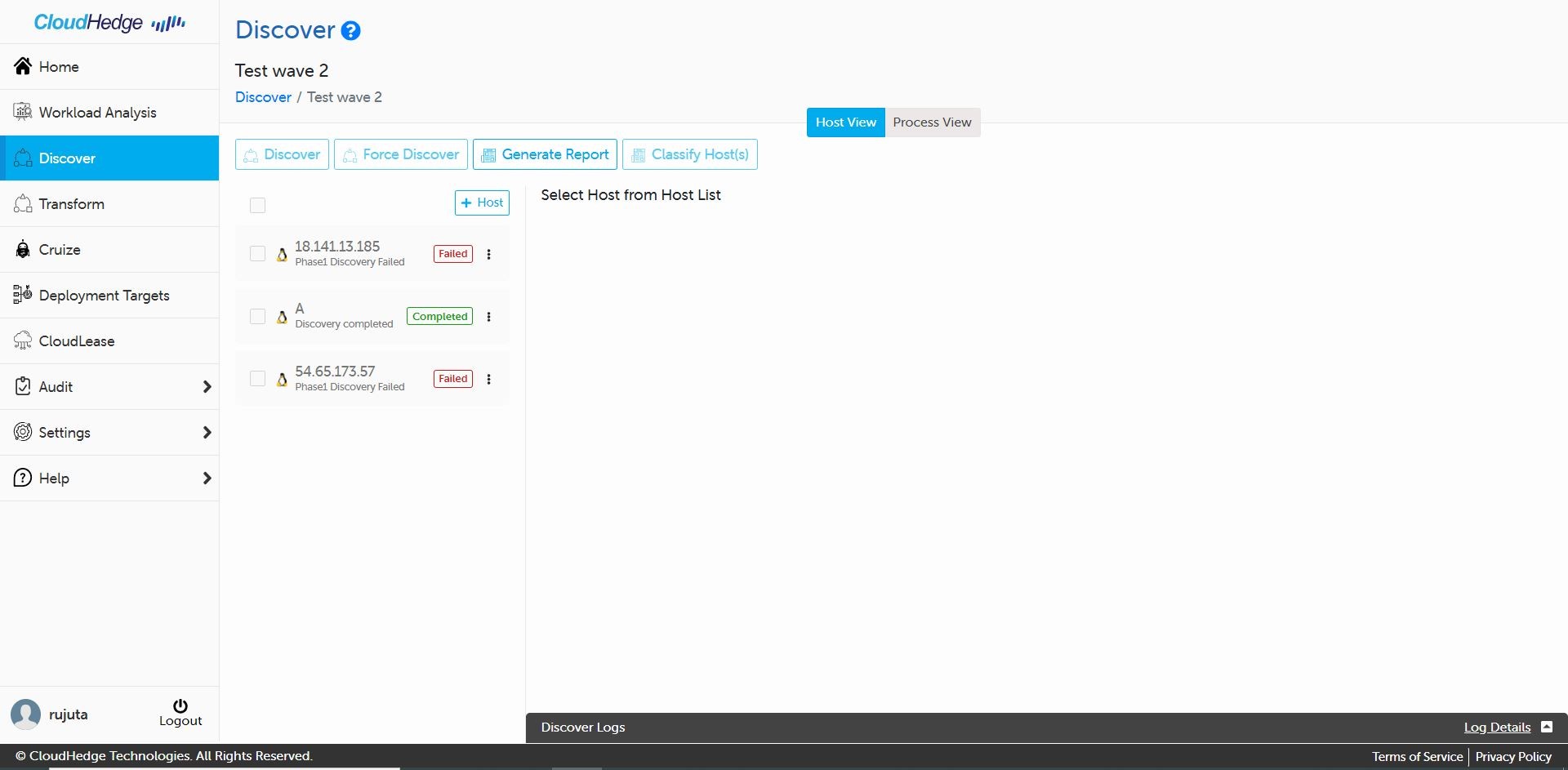
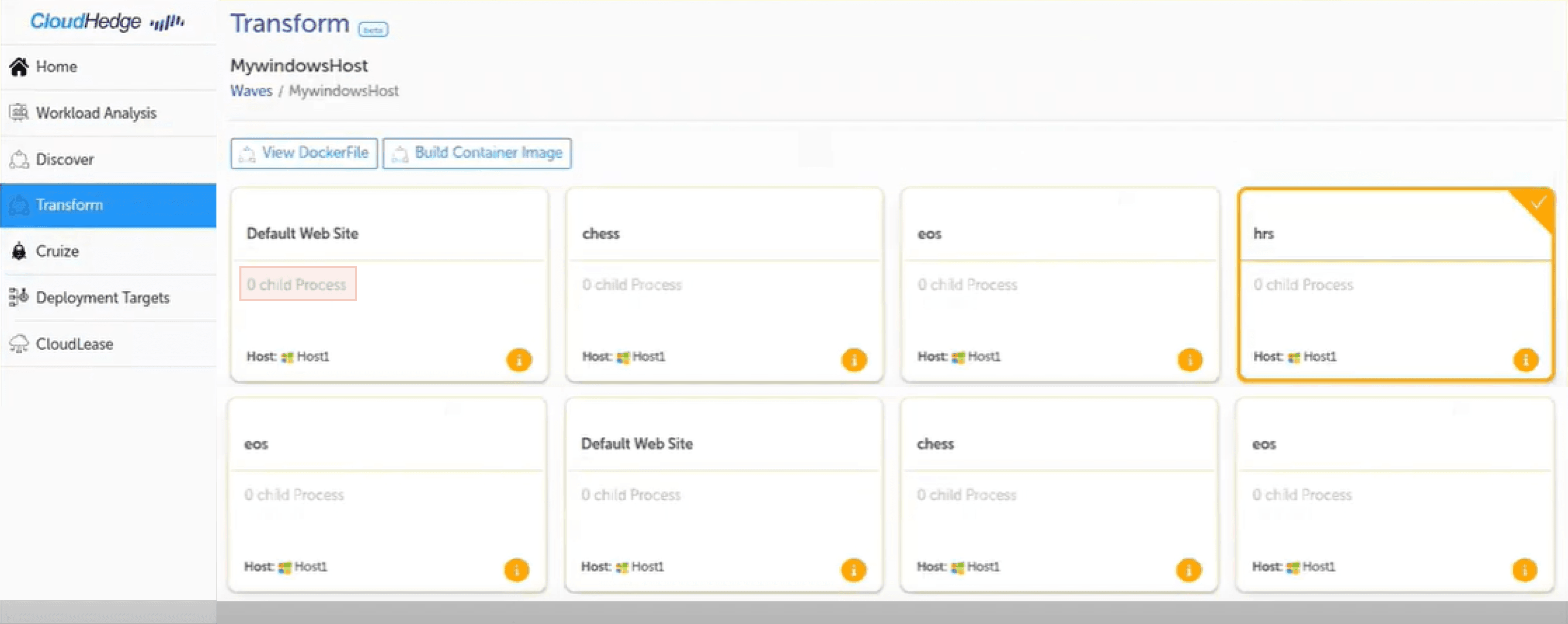
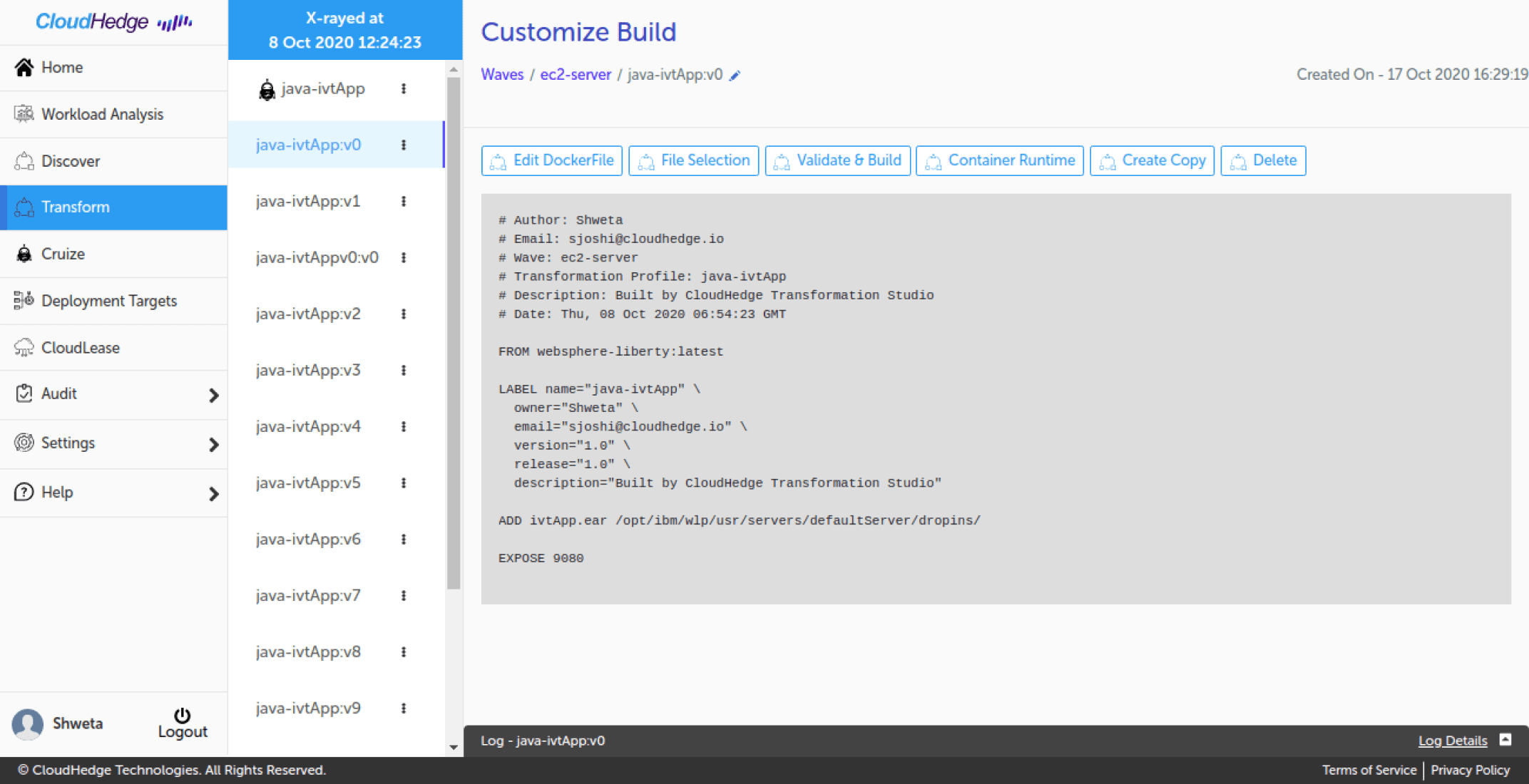
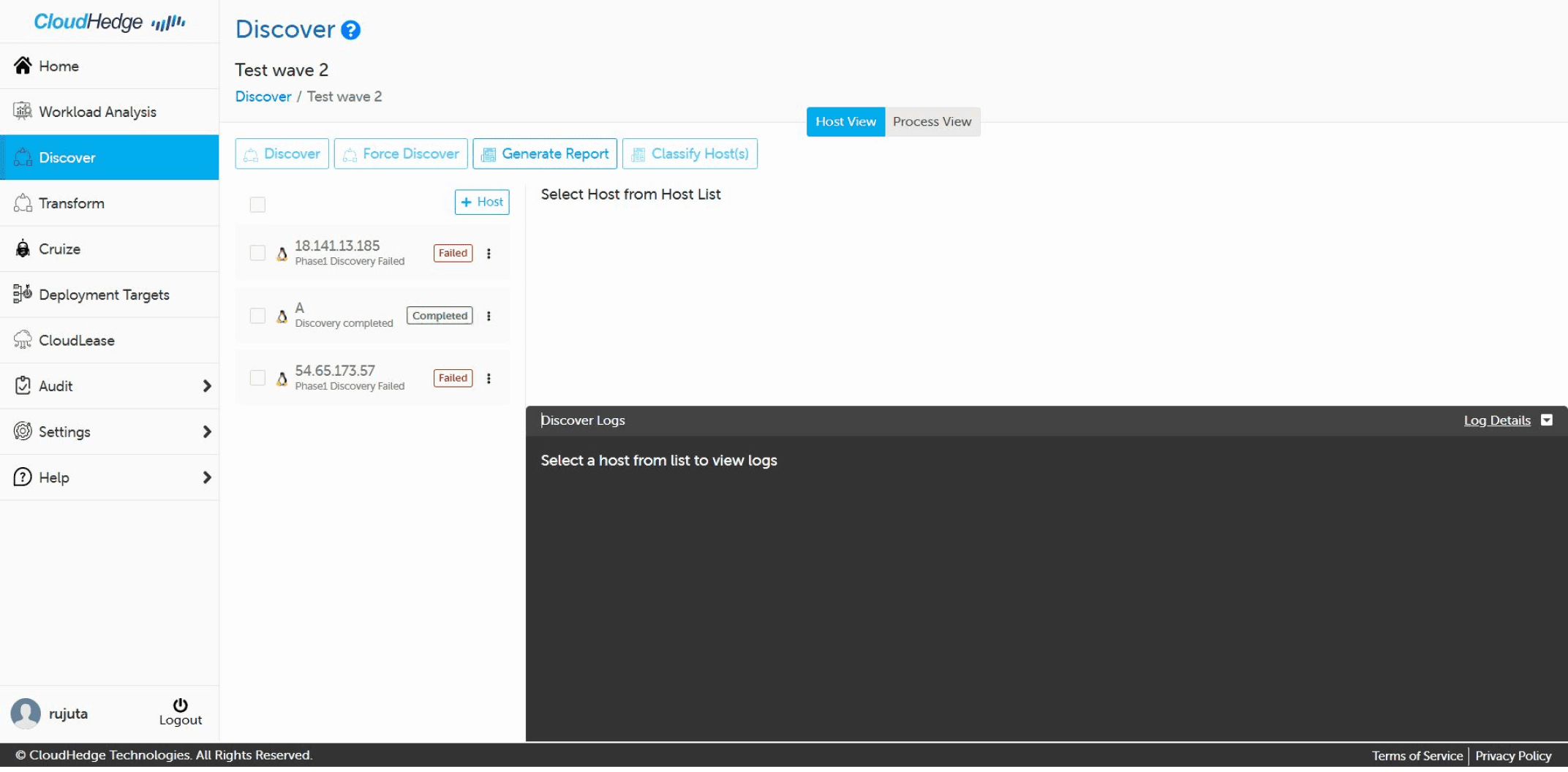
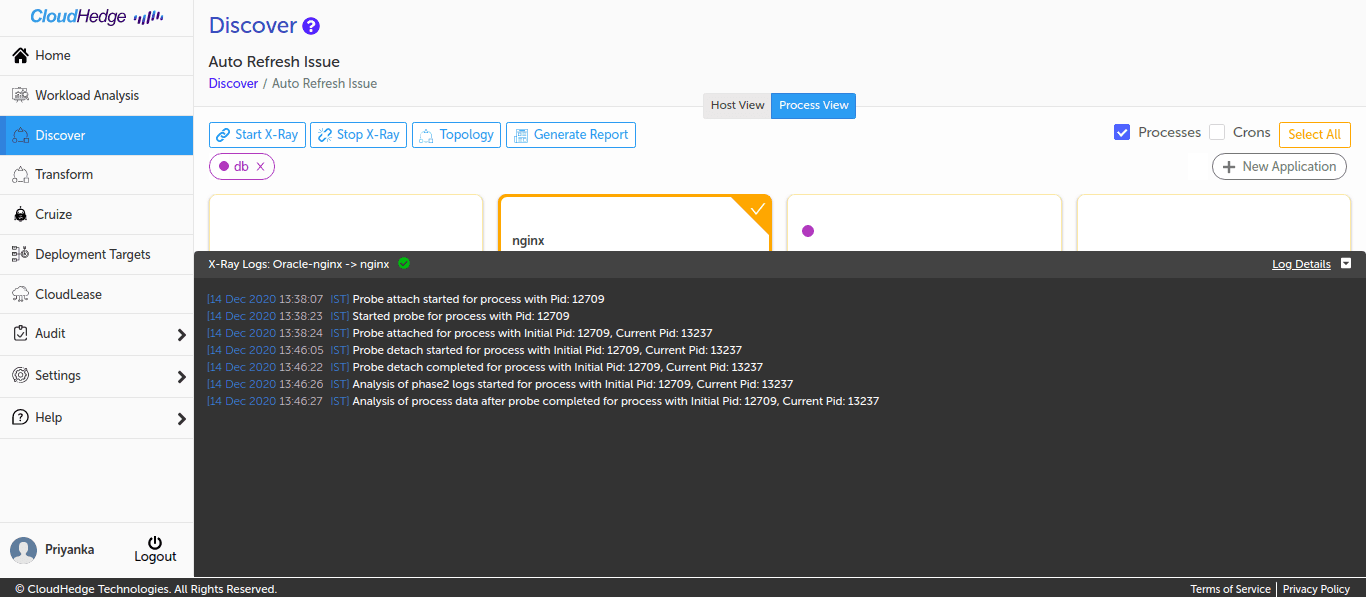
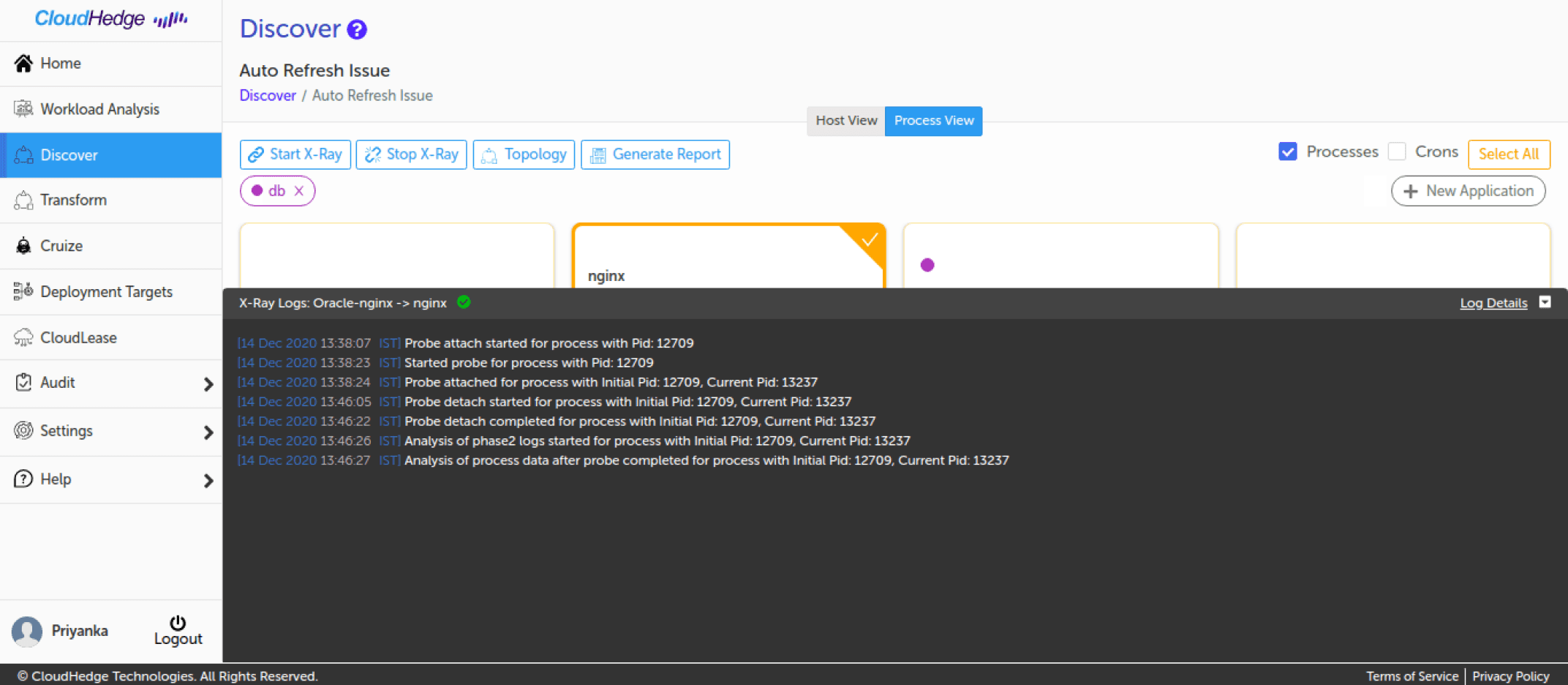
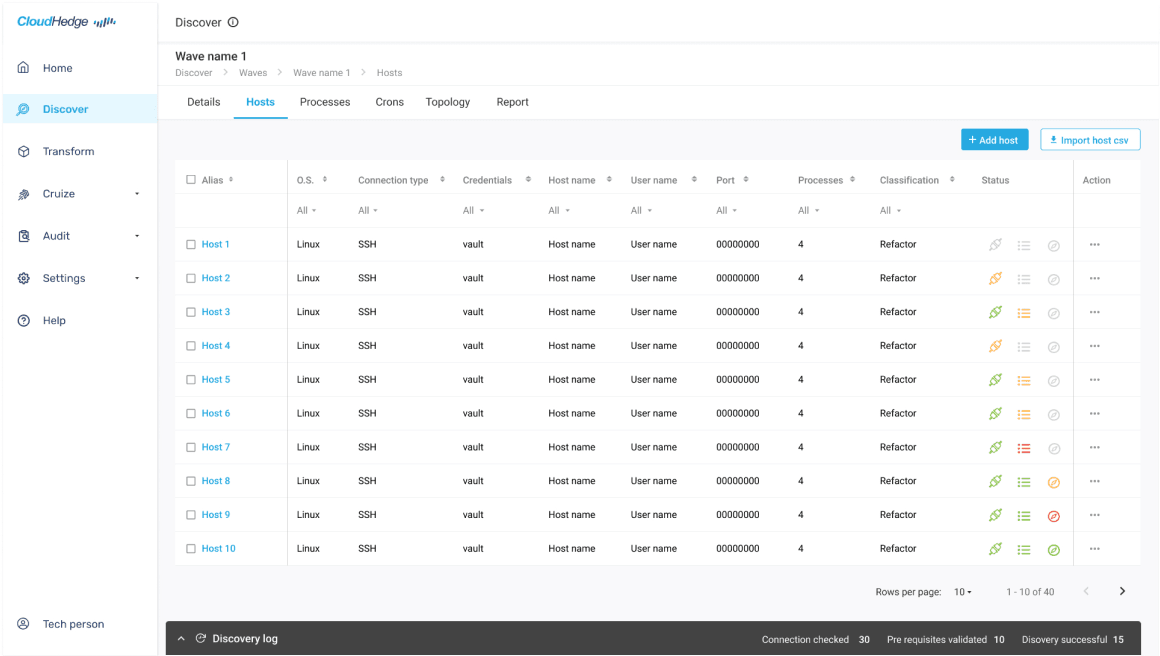
By analyzing the old interface, I identified usability issues across all screens and workflows. These insights informed the redesign, aiming to streamline and simplify the modernization process while enhancing efficiency and reducing task completion time. Below are key screens that were analyzed.
Defining the challenge
How might we enhance the user experience of OmniDeq to streamline and simplify the application modernization process, making it more intuitive and efficient for enterprises to adopt and fully leverage the platform’s capabilities?
What was the process?
We used agile practices like iterative design and continuous feedback to deliver a high-quality and efficient design. Weekly client review and early developer involvement helped to meet deadlines while incorporating actionable feedback at each stage of the process and improving the experience.
Old interface analysis
Discover section
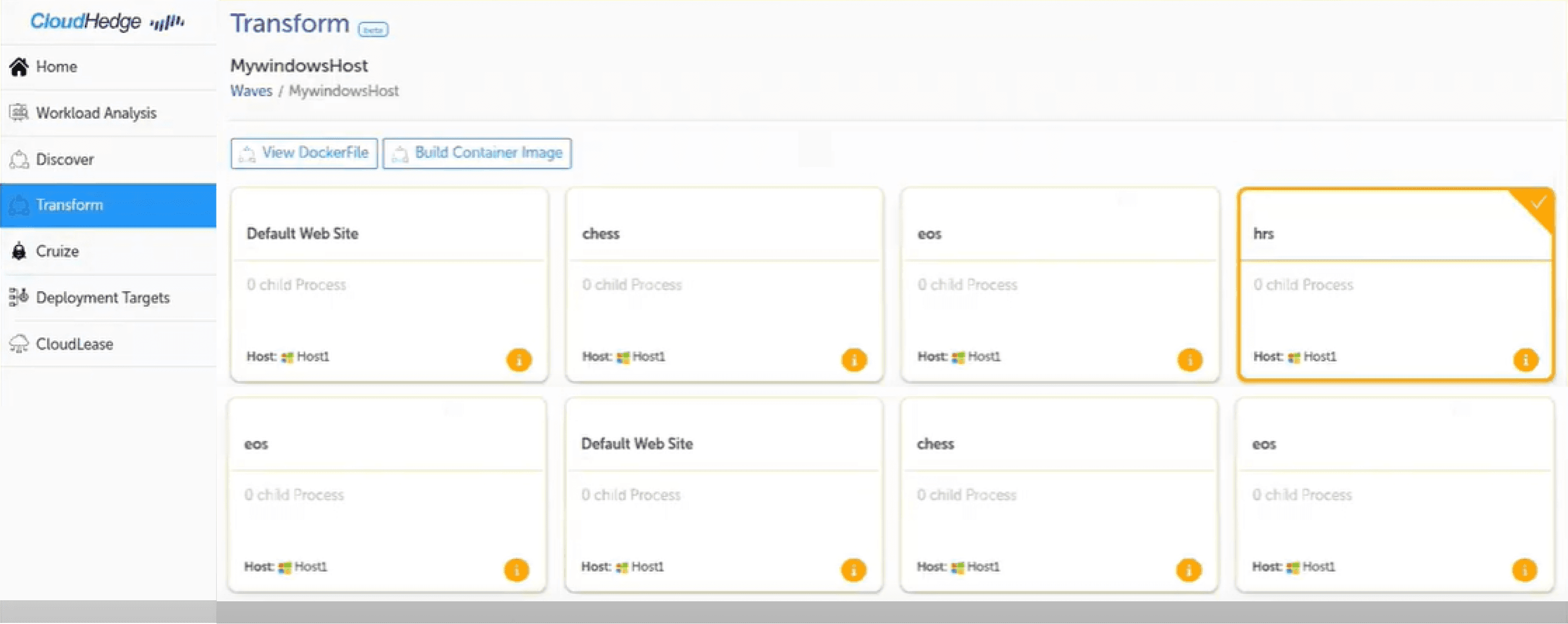
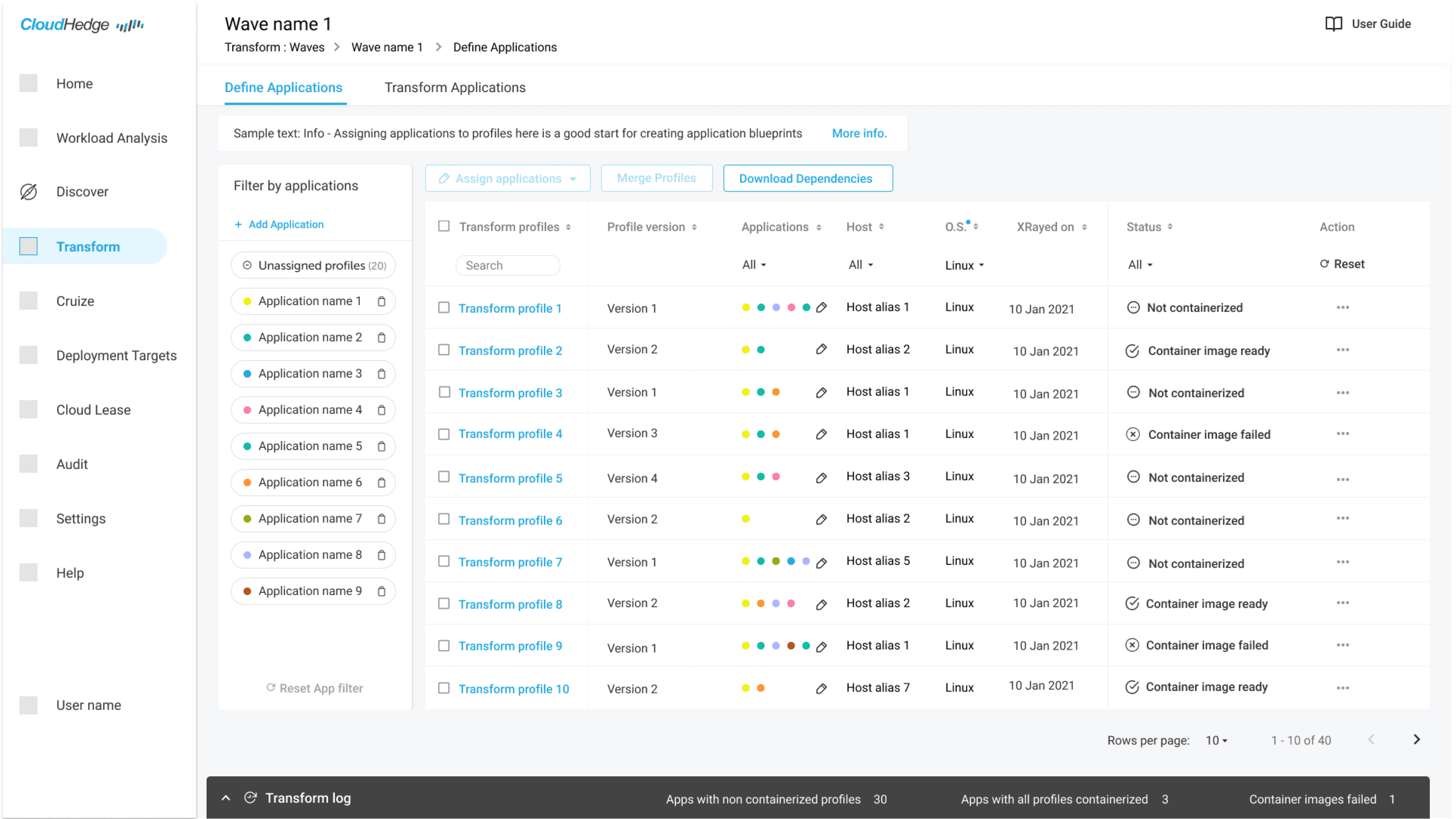
Transform section
Customize build
Discovery log



Defining the challenge
How might we enhance the user experience of OmniDeq to streamline and simplify the application modernization process, making it more intuitive and efficient for enterprises to adopt and fully leverage the platform’s capabilities?
Heuristic evaluation
Conducted a Heuristic evaluation based on Nielson’s heuristic principles, and these were the top recommendations based on the findings.
Prioritize and plan
I collaborated with the project manager, engineers, and product team to tailor a plan that fits business goals and eases implementation. We opted for a phased approach, ensuring minimal disruption and smooth user transitions. This strategy allowed for seamless enhancement integration.
Immediate fixes
New features
Consistency, error messages, empty states, tips, accessibility..
Product design goals
The UX review pinpointed areas needing improvement that helped me define the project goals:
Design recommendations
After the quick overall fixes recommended, the process involved majorly taking on redesign of each section in order of the workflow and designing new features. Here are some key enhancements from the extensive tool.
The product was later rebranded as 'Omnideq', and a new branding language was set in place. So two different sets of brand colors and typography will be noticed in the screens presented ahead.
Dashboard
Previously, the home page featured only shortcuts for primary product functions (Assess, Prepare, Transform, Deployment), leading to the respective workflow.
Pre-modernization and Post-modernization Dashboards were introduced. The dashboard views were tailored to different user needs.
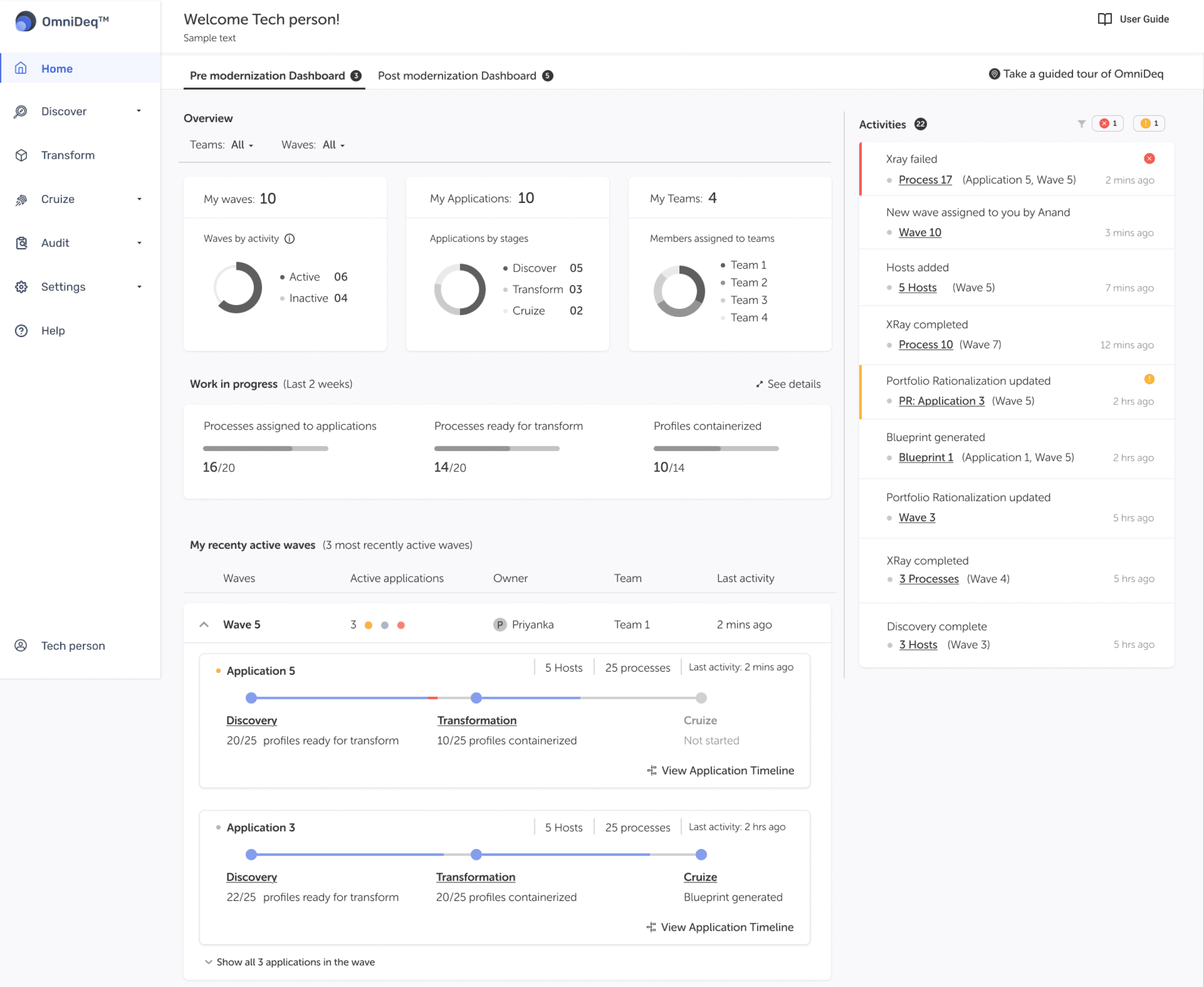

Improved hierarchy of information and grouping
Defining styling for primary, secondary and tertiary actions
Defining the hierarchy of page-level elements and designing layout accordingly
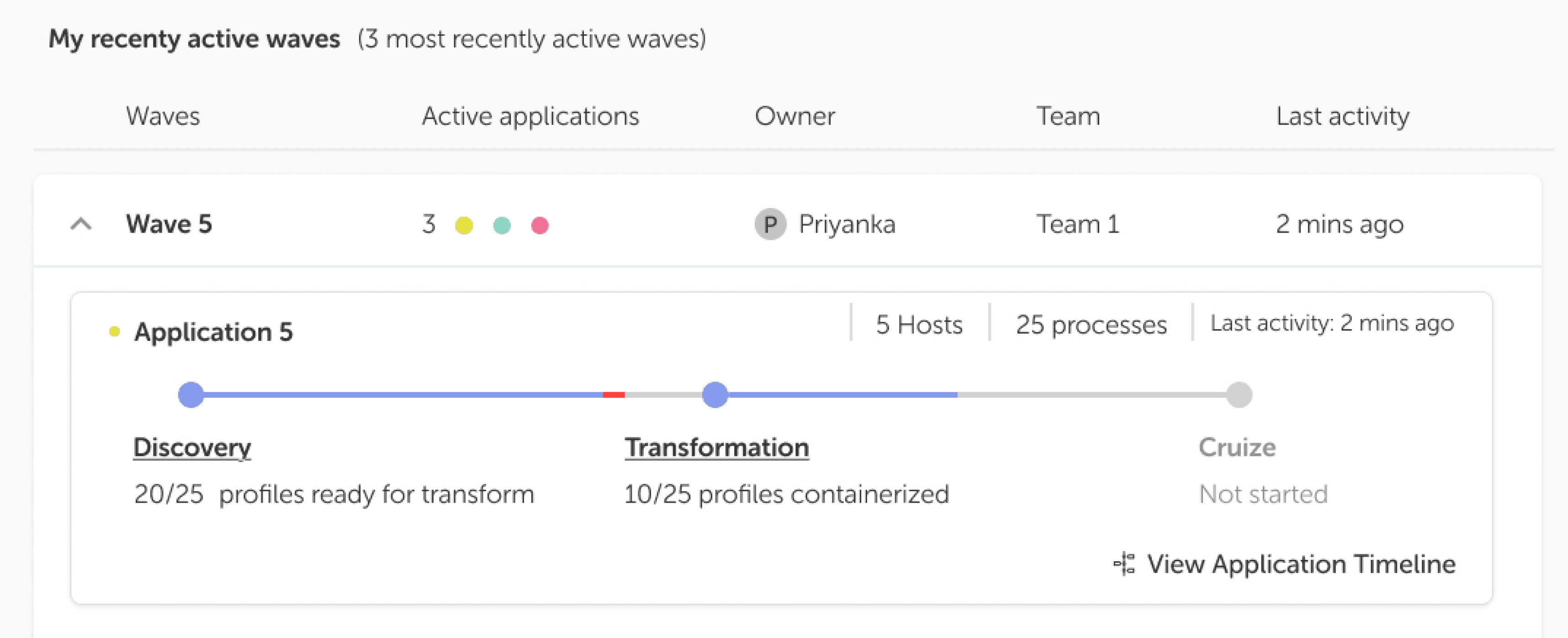
Making progress status visible and clear
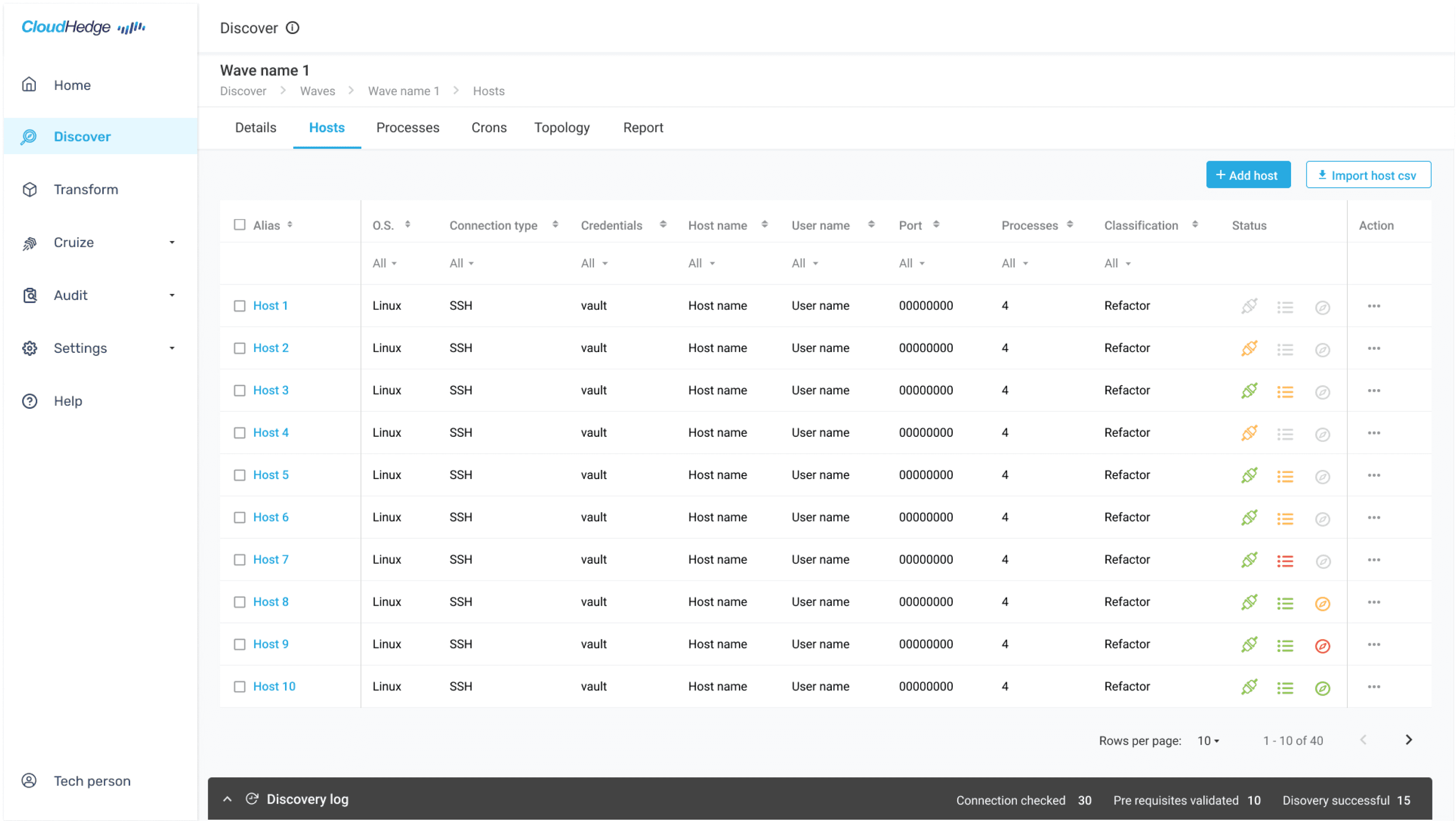
Enhanced workflow continuity
The "Go to Transform" action seamlessly transitions users to the 'Transform' section.
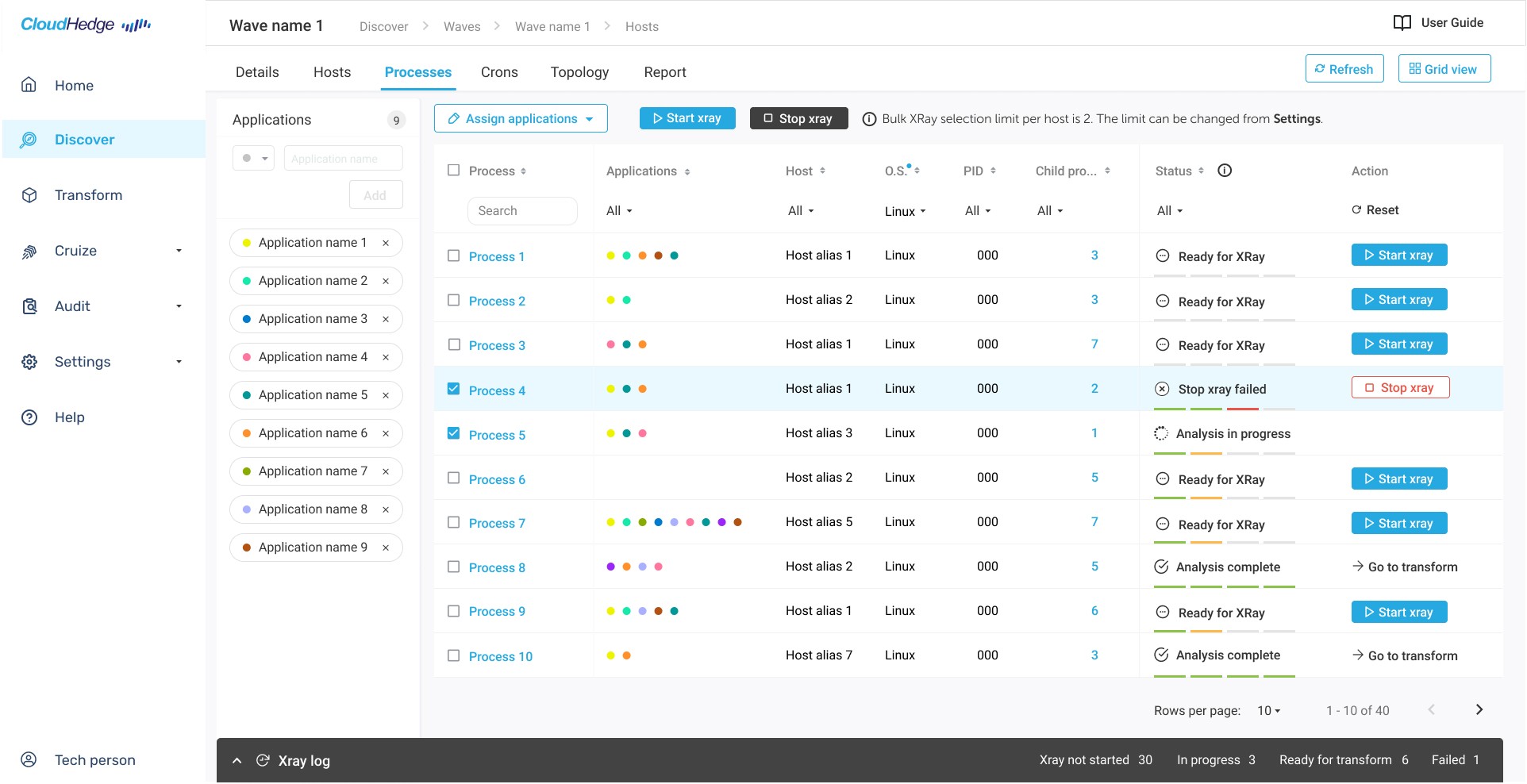
Bulk actions make the process faster
Applications panel for easy, consistent access and filtering
Understanding the product and modernization flow
Through multiple interactions and walkthrough sessions with the founder, CTO and subject matter experts, I mapped the modernization flow.
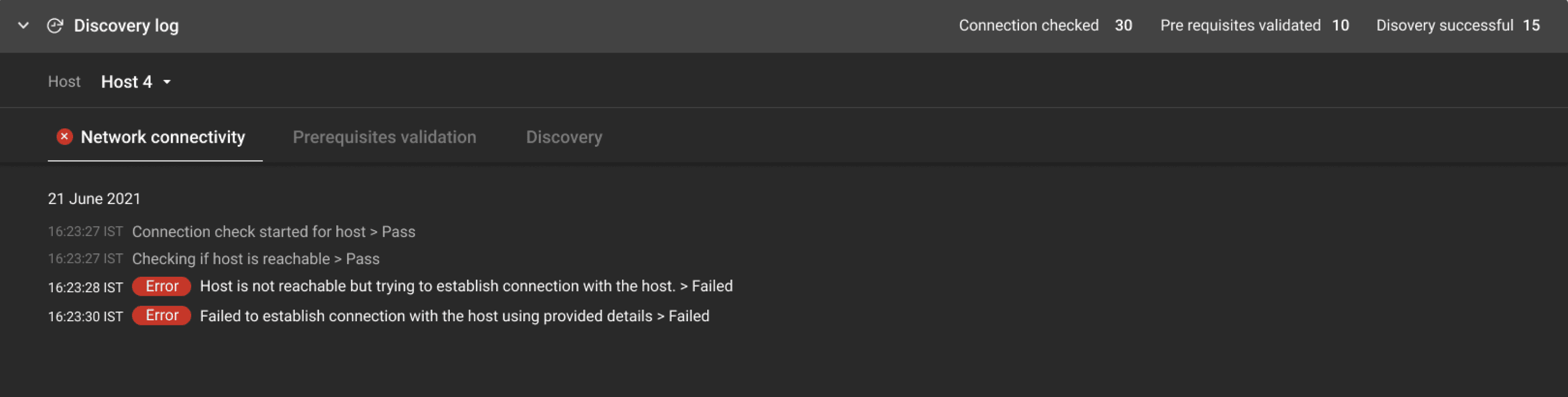
Enhanced Discovery log
In the earlier design, clicking the discovery log prompted an empty panel to slide up, indicating that selecting a Host was a prerequisite to access its log. This added an unnecessary step.
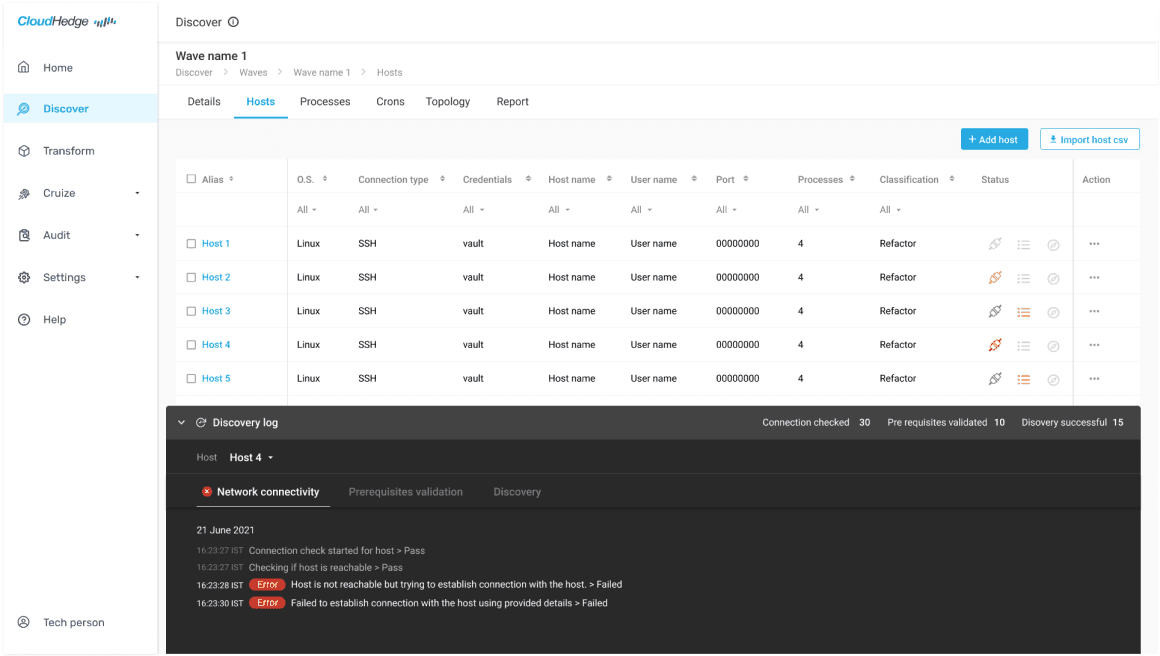
Optimized workflow progression
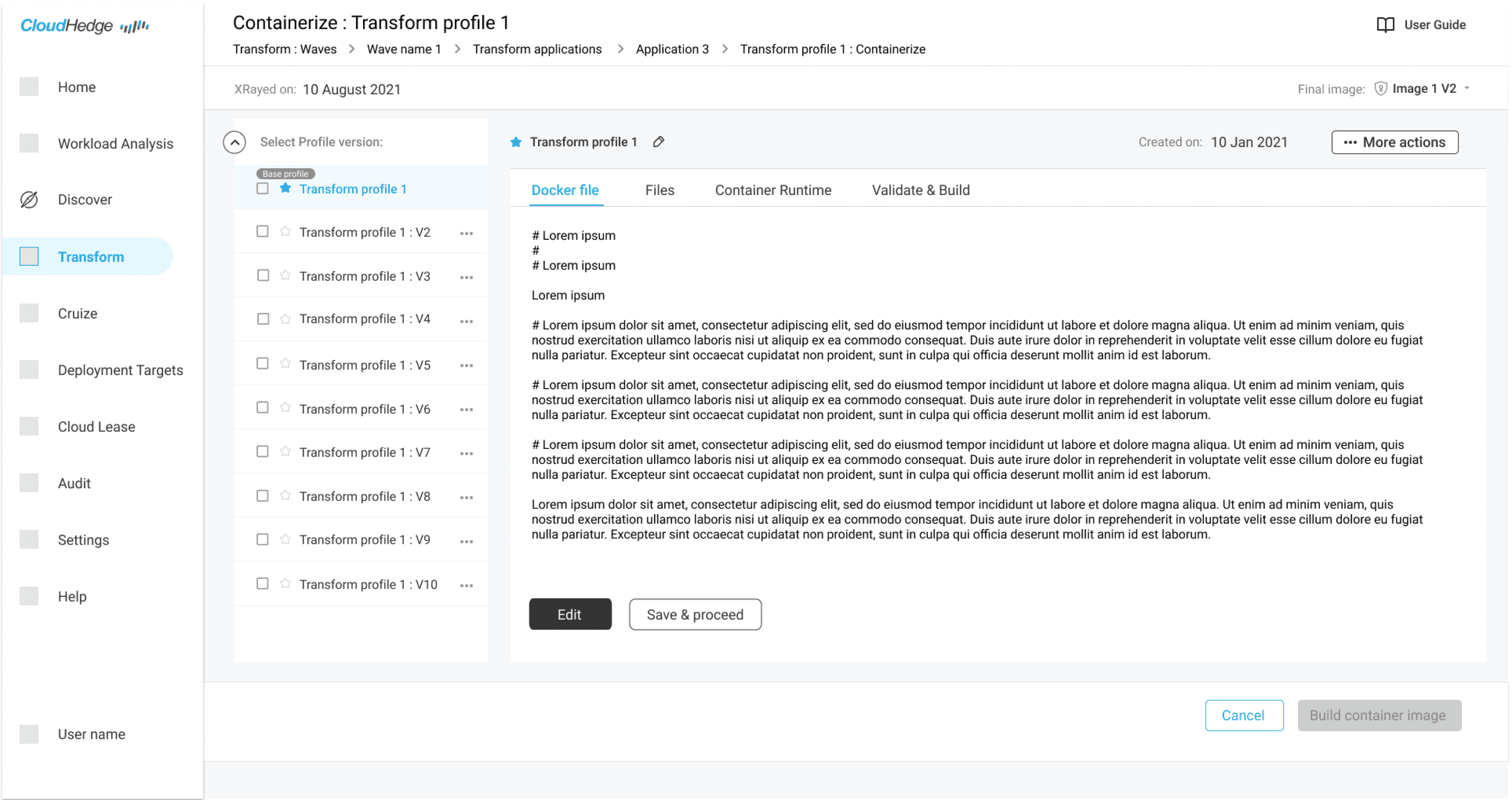
Enhanced containerization process
Earlier, buttons on the top were used by the user to perform actions on the profile selected below. The redesign changed the layout by creating tabs for processes.
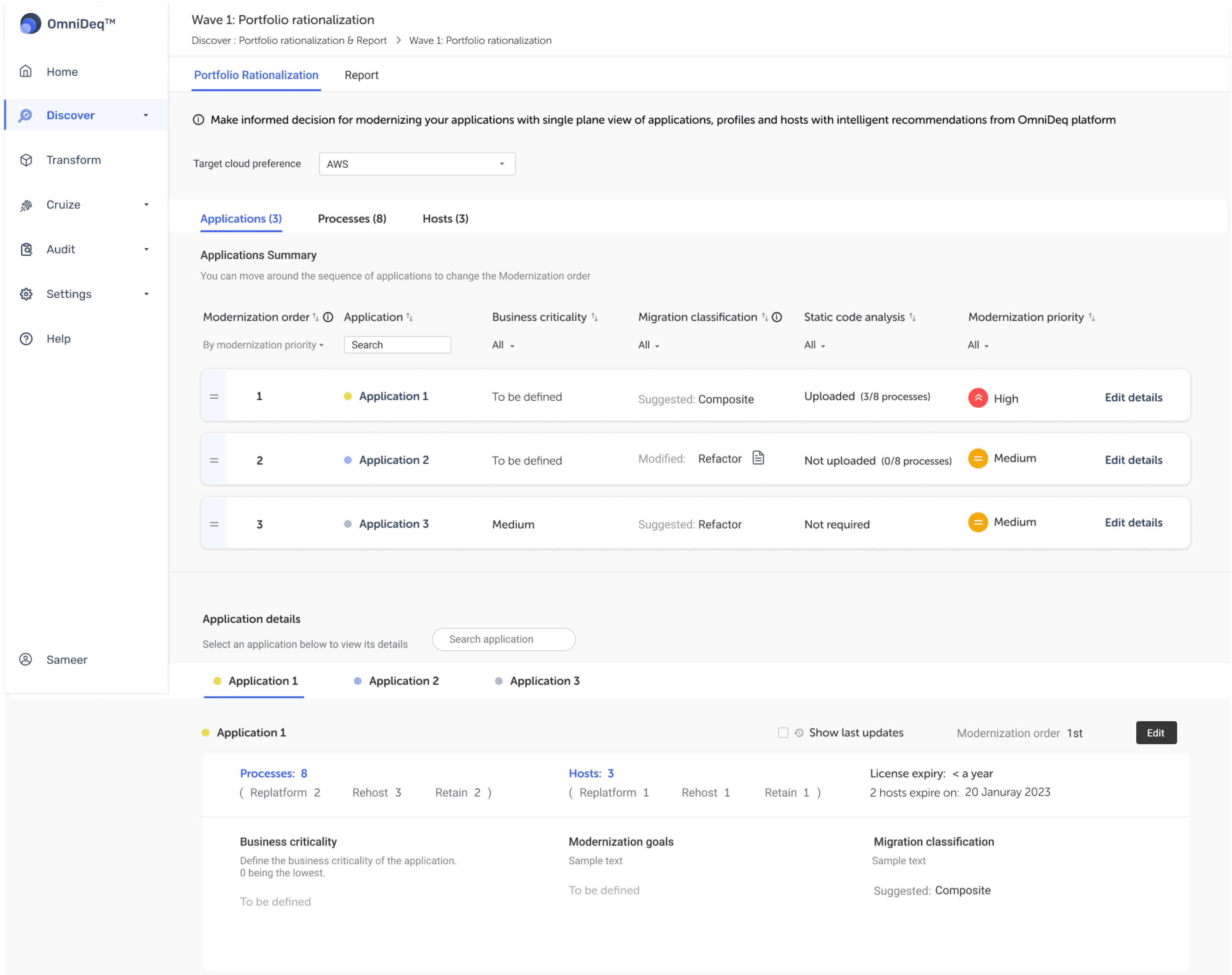
Portfolio Rationalization
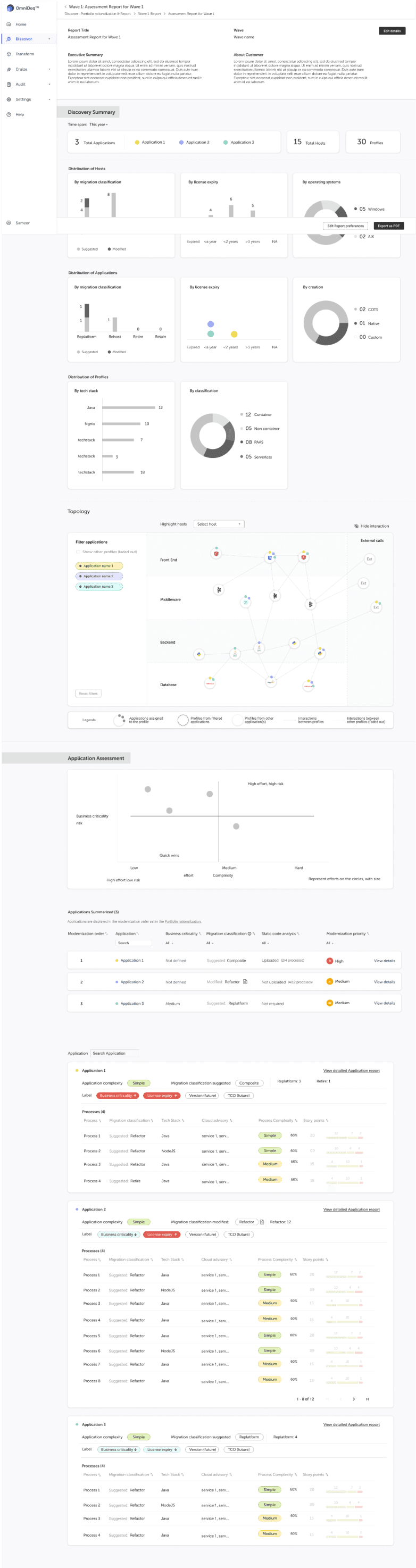
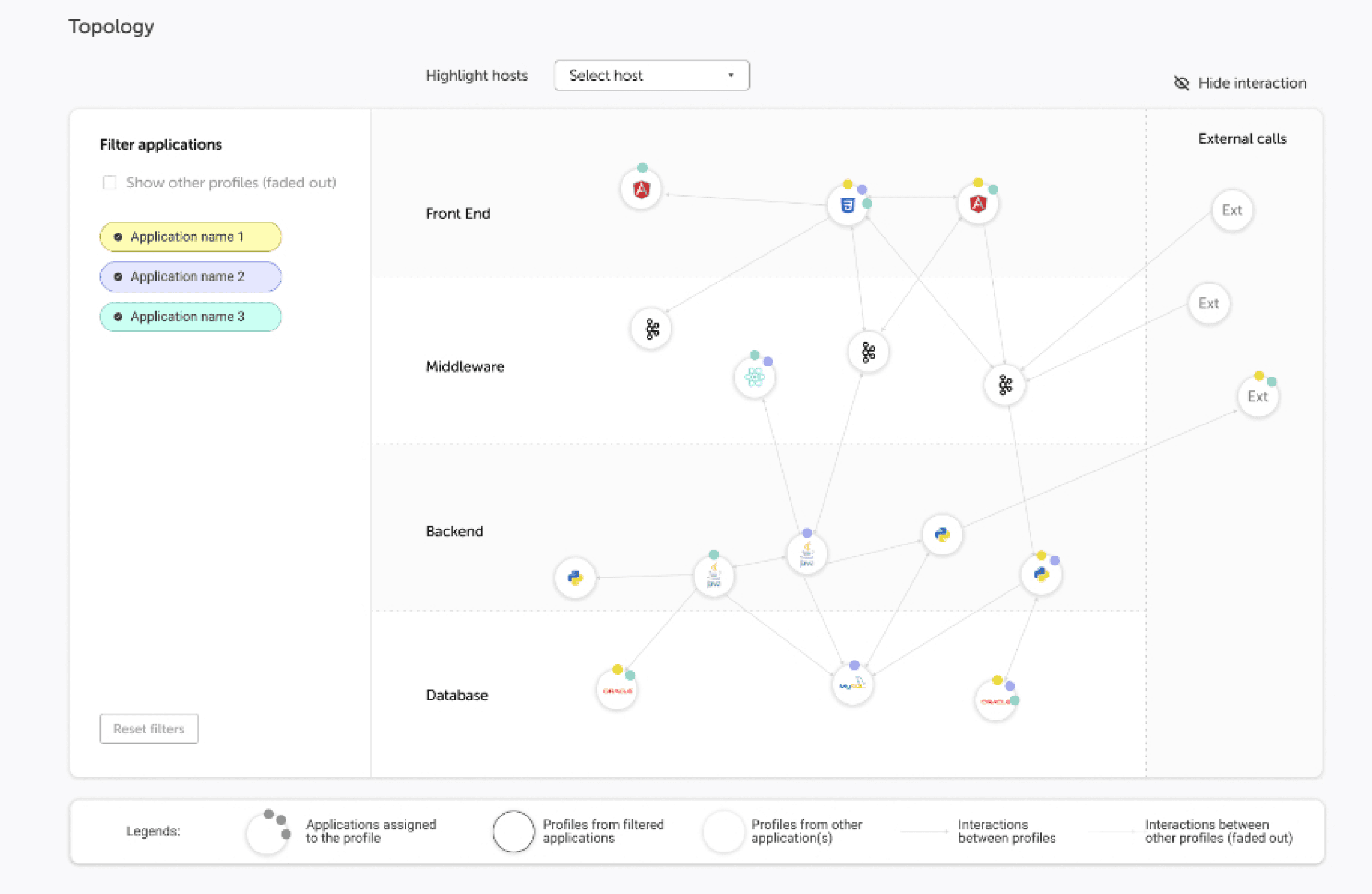
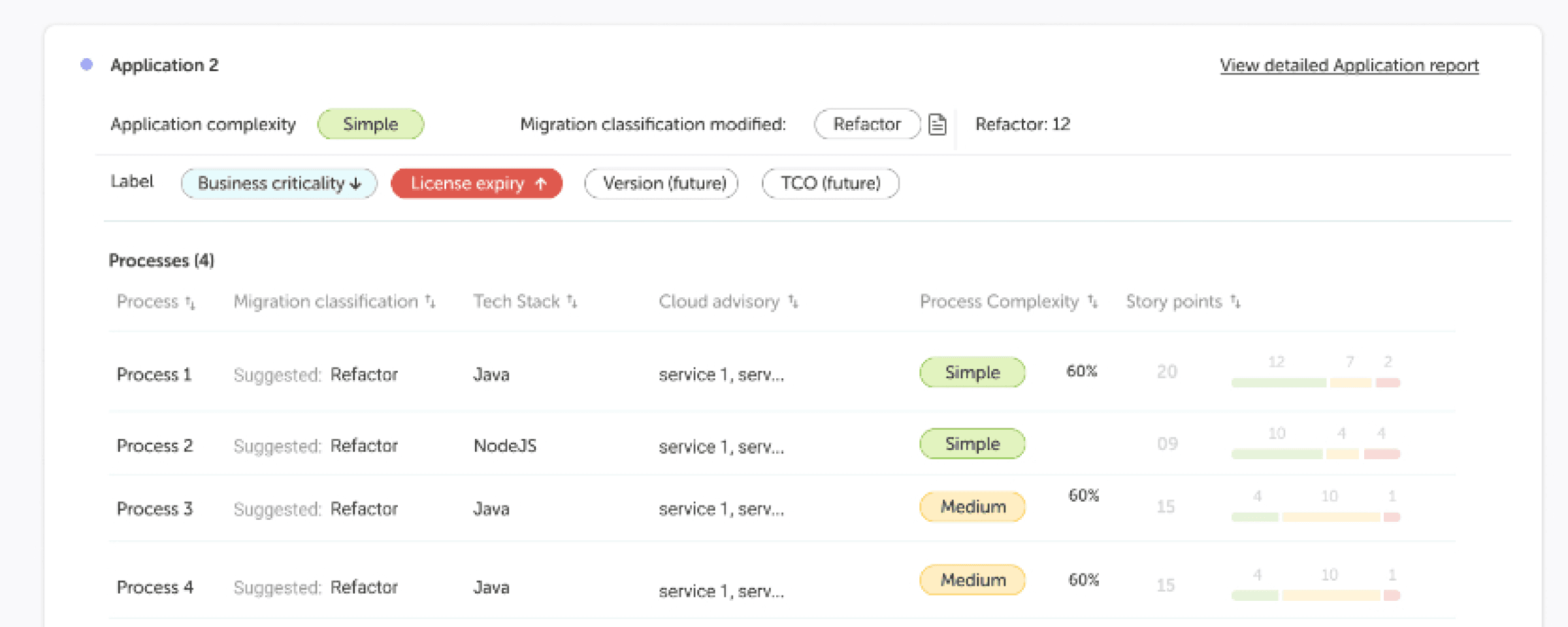
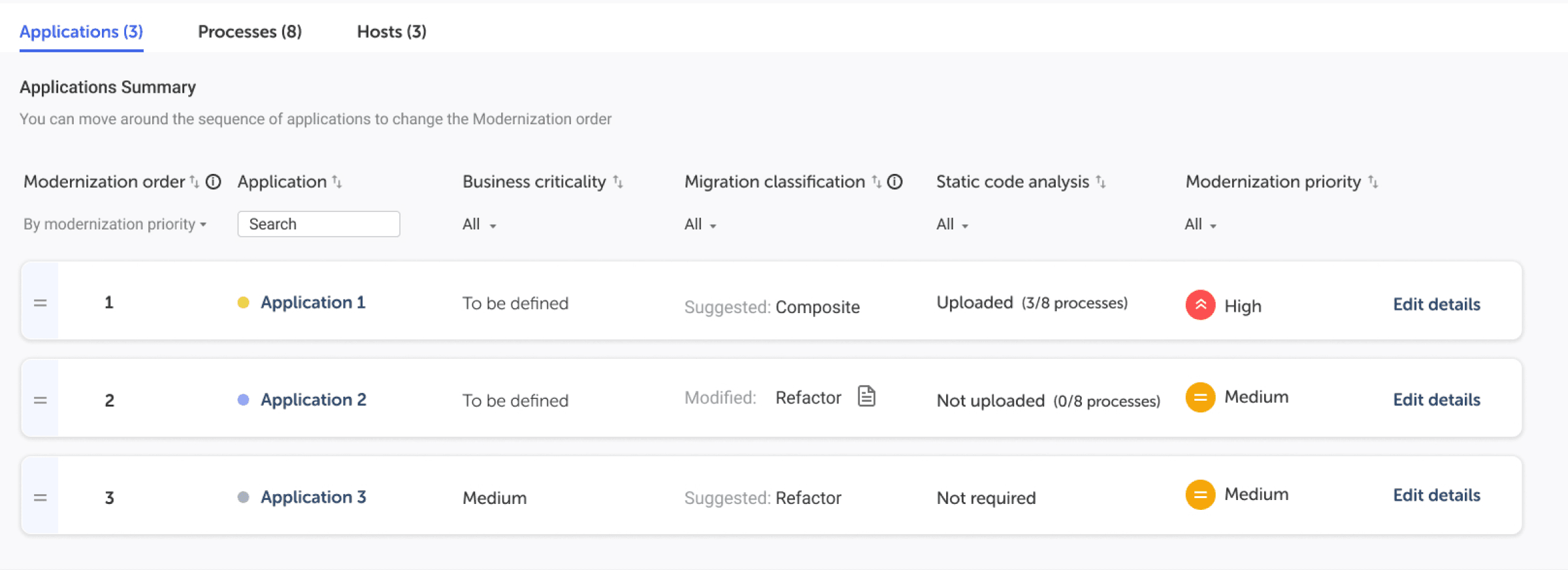
A new sub section called Portfolio Rationalization and Report is introduced under the Discover section. This section serves as a strategic tool, offering users an in-depth overview of their ongoing modernization journey across applications.
Here, users can meticulously plan and strategize their modernization process by organizing it into manageable waves, ensuring a smoother and more structured approach, while being assisted by intelligent recommendations from Omnideq platform.
Report
The Report section provides comprehensive summaries of all workflows and key activities within the platform. It is a centralized hub for users to get a holistic view of their operations, helping with better decision-making and analysis.
Users can meticulously plan and strategize their modernization process by organizing it into manageable waves, ensuring a smoother and more structured approach, while being assisted by intelligent recommendations from Omnideq platform.
What did I learn?
Leading the UX efforts
As the sole UX designer, I got the opportunity to enhance my skills in managing diverse design tasks, improve communication with team members, adapt to complex challenges, and grow more confident in my design choices.
Navigating complexity through collaboration
Constant collaboration with the team, facilitated a deep understanding of complex technical workflows. Despite the remote setup, the founder's adept use of relatable examples made intricate concepts easily graspable.
A different viewpoint
Being new to designing a modernization tool was an asset. Approaching the platform with a fresh perspective enabled me to capture invaluable insights regarding usability, which might have been overlooked otherwise.
The importance of an iterative process & step by step progress
Timely iterations after feedbacks and discussions led to better outcomes. In the process of redesigning the current tool, there were instances where giving priority to specific issues and systematically addressing them, step by step, proved more effective in achieving the desired results than proposing significant fixes all at once.